
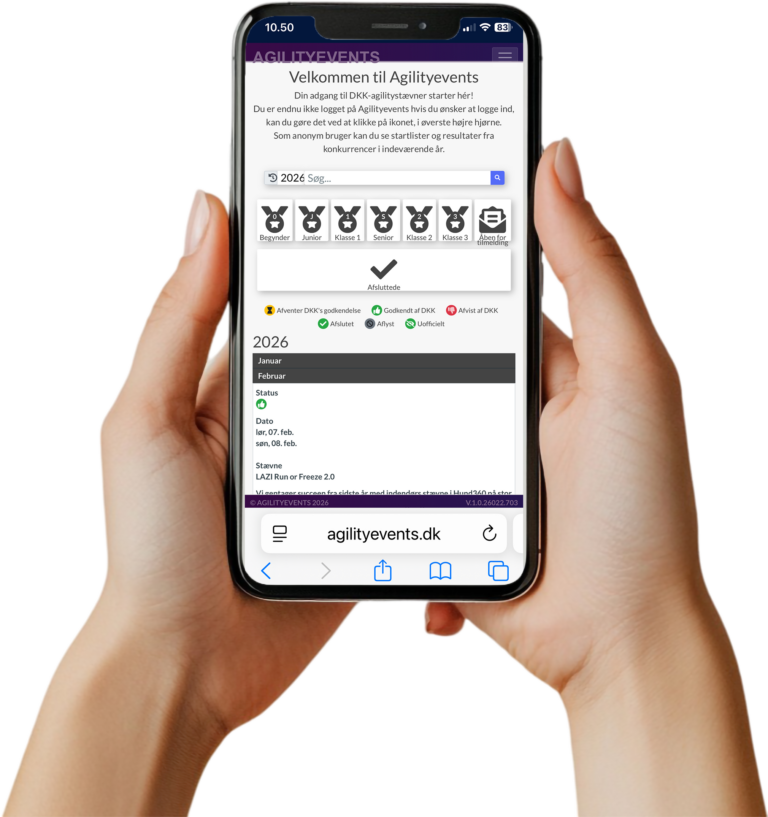
Go to agilityevents.dk and click the icon with the three lines in the top-right corner.
Select Create, and fill in your email and a chosen password.
Log in with your user account and click the icon with the three lines in the top-right corner.
Select User Data, and fill in all fields. If you are not a member of the Danish Kennel Club (DKK), simply leave that field empty.
Click Save when all fields are completed.
Log in with your user account and click the icon with the three lines in the top-right corner.
Select My Dogs, then click the blue Add Dog button in the top-left corner.
A dialog box will appear with Search for Dog.
If your dog is not already registered in AgilityEvents, enter the dog’s registration number from its home country, or enter the microchip number.
In the next dialog box, select No, the dog is not registered with DKK.
In the following dialog box, select Yes to manually create the dog in AgilityEvents.
Fields marked in red are mandatory.
If your dog does not have a pedigree, enter the call name also in the pedigree name field.
Place your dog in the class it competes in in its home country.
If your dog runs in different classes (e.g., Agility Class 1 and Jumping Class 2), select the highest class your dog competes in.
Log in to AgilityEvents and go to Summer Grand Slam.
Open the Runs tab, select the classes you want to enter, and then go to the Cart for payment.
When you select Proceed to Payment, a dialog box will appear where you can add a comment.
Here you should write if your dog runs in different classes (e.g., Agility Class 1 and Jumping Class 2). We will then ensure you are placed in the correct classes.
If you do not have a payment card, write a comment saying that you do not have a credit card, and select Proceed to Payment.
In the next dialog box, choose Cancel Payment.
Your entry will still be registered.
We will manually send you an email with bank transfer details.
Once your payment is received, we will mark your registration as completed.
If you have any questions about creating an account or registering, please email us at [email protected].